
Phases of the Atlassian Cloud Migration
Cloud migration? End-of-life data center? These are terms that are increasingly mentioned in the same breath these days.
The cloud offers enormous advantages: scalability, flexibility, and modern features that traditional data centers are increasingly unable to provide. At the same time, the end-of-life dates for many data center solutions are approaching. This means that support, updates, and key features will be limited or discontinued entirely in the foreseeable future.
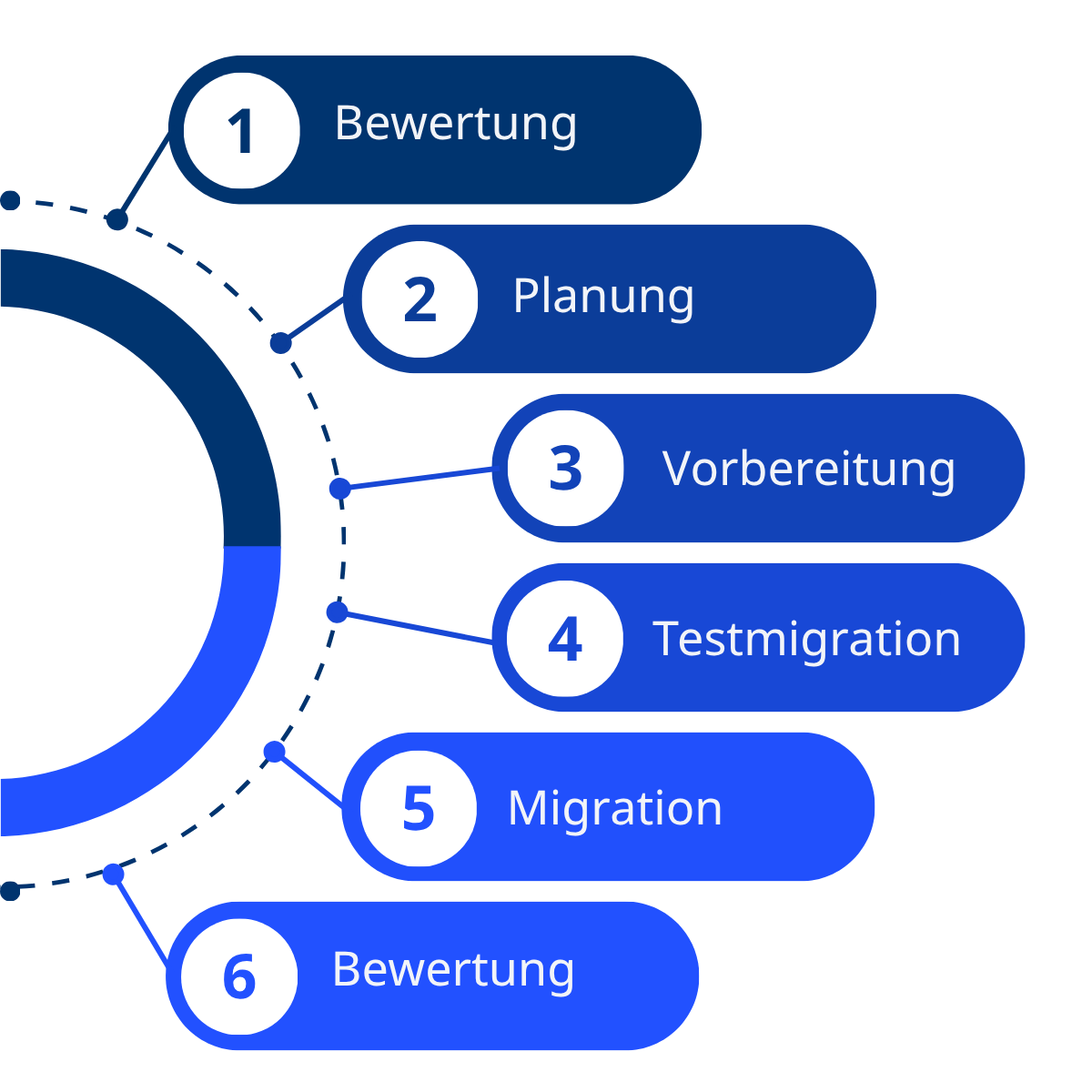
An Atlassian Cloud migration is not a one-time step, but rather a process that involves several phases: from thorough preparation, through the actual implementation, to the ongoing optimization of the new environment.
So before you tackle the individual steps, you should familiarize yourself with the fundamental questions regarding cloud migration:
What is cloud migration?
Cloud migration refers to the process of moving applications, data, workflows, and IT resources from on-premises data centers or traditional servers to a cloud environment. The goal is to make the infrastructure more modern, flexible, and scalable. This can involve migrating individual applications, entire systems, or even the entire IT landscape. Cloud migration encompasses not only the physical transfer of data but also the adaptation of processes, security policies, and user access to fully leverage the benefits of the cloud.
Migrating to the cloud is particularly relevant right now, especially for Atlassian users!
Why migrate to Atlassian Cloud now?
With its Atlassian Ascend program, Atlassian has made its position clear: The cloud is the future – and the Data Center will be phased out. For companies that are currently still using the Data Center, this means they need to take concrete action.
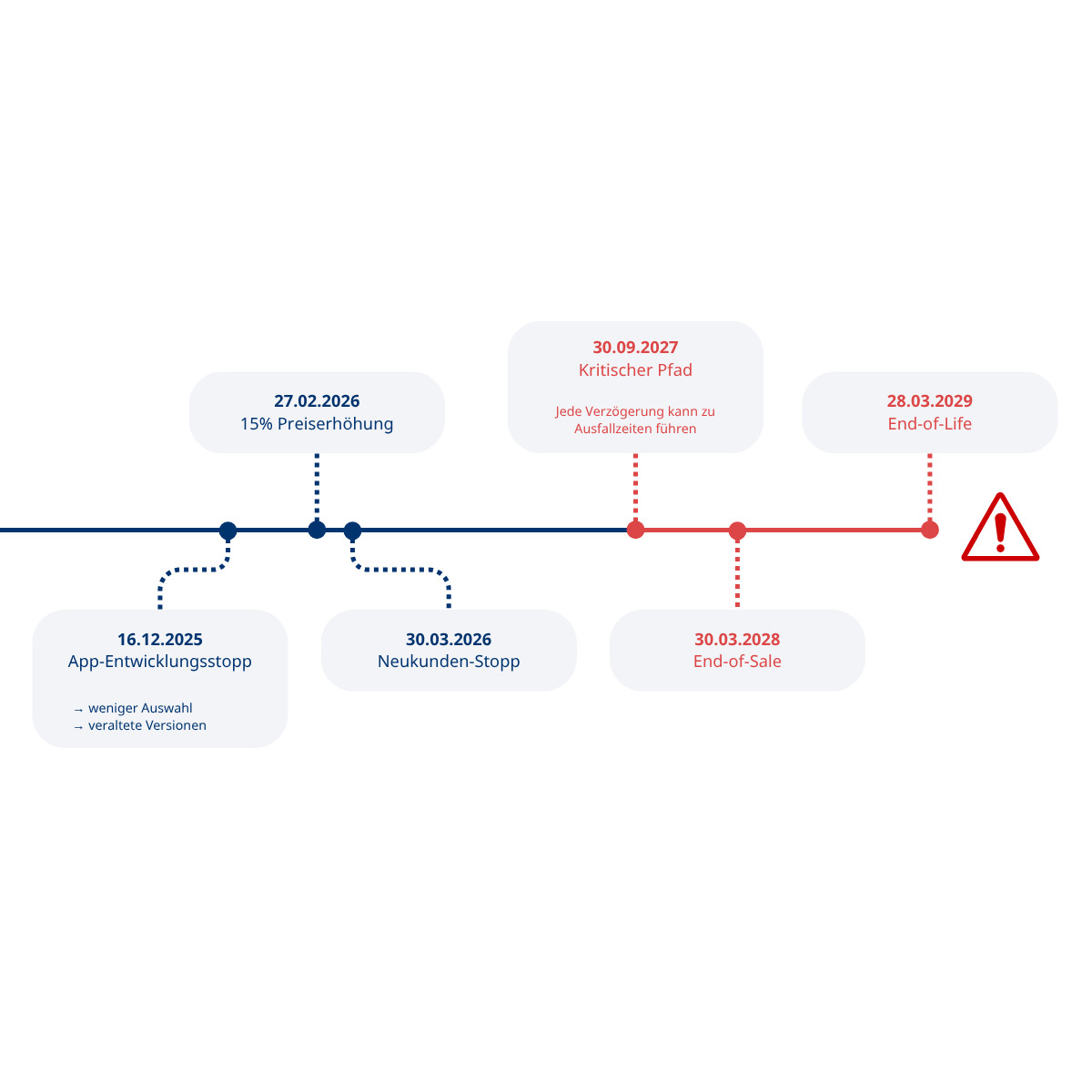
An overview of the most important dates:
March 30, 2026: No new data center licenses for new customers
March 30, 2028: Deadline for license renewals and app purchases
March 28, 2029: End of Life: All data center instances will become read-only
After March 28, 2029, users will only be able to read content in Jira and Confluence – they will no longer be able to create or edit issues.
Important: Experience has shown that complex enterprise migrations require 12 to 24 months of lead time. So if you want to be working seamlessly in the cloud by 2029, you should start planning now at the latest.
In addition, as part of the migration program, Atlassian offers a free cloud trial license for up to 12 months—in parallel with your existing Data Center instance. This allows you to test the migration without having to switch over immediately.
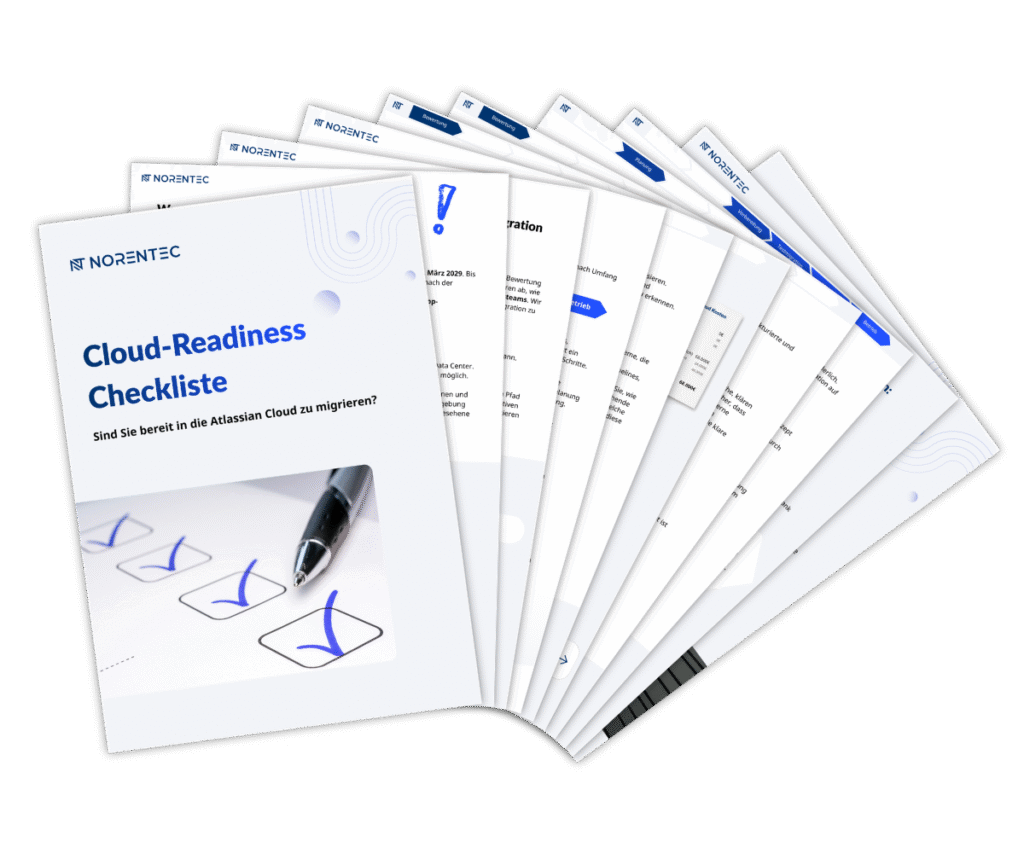
For anyone looking for clear guidance on their migration, we also have a Cloud Readiness Checklist. It provides a detailed overview of the most important steps and helps you determine whether you’re ready for your migration.
Below, you'll learn what steps are involved in a full migration and what you should pay special attention to in order to migrate to the cloud without risk:

Phase 1: Assessment:
Are you aware of the current status of all data center components? Before you can safely migrate to the cloud, it is crucial to accurately assess the current situation. This includes, among other things, analyzing:
- Products (Jira, Confluence, Jira Service Management, Bitbucket, etc.) → The more products, the more complex the migration
- Licenses → Cost comparison between Data Center and Atlassian Cloud; Atlassian Cloud often offers more features at the same or a lower price
- Marketplace Apps → Which apps are available in the cloud? The Jira Cloud Migration Assistant and the Confluence Cloud Migration Assistant help with automatic app assessment
- Integrations → Mapping of all external systems, such as ITSM tools, HR systems, or CI/CD pipelines
- Security & Compliance → Assessment of the current environment with regard to data protection, GDPR, and governance
Purpose of the assessment: Establish a reliable foundation for all subsequent steps. If you know exactly what is in place and how systems are interconnected, you can minimize risks and plan the migration efficiently.
Phase 2: Planning:
How exactly should the migration proceed? Based on an assessment of the current situation, a customized migration strategy is now being developed. This strategy establishes the framework for a structured, secure, and efficient move to the cloud. Key components include, among others:
- Migrationsmethode → Zwei Ansätze stehen zur Wahl:
- Big Bang (Lift & Shift): Alle Daten werden in einem einzigen, geplanten Schritt migriert – schnell, aber aufwendig in der Vorbereitung. Empfohlen für kleinere bis mittelgroße Teams.
- Phasenweise Migration: Projekte oder Bereiche werden schrittweise migriert – mehr Flexibilität, geringeres Risiko, längerer Zeitraum. Empfohlen für komplexe Enterprise-Umgebungen.
- Integration Strategy → Can integrations in the cloud continue to be used, or do they need to be reconfigured?
- Target Model → Selecting the appropriate cloud plan (Free, Standard, Premium, or Enterprise) and user tiers
- Communication Plan → How and when will affected teams, administrators, and stakeholders be informed?
Planning Objective: The migration will be more structured, more predictable, and carry fewer risks. Solid planning lays the foundation for all subsequent steps.
Phase 3: Preparation:
Are you and your users ready for the cloud?
Before the actual move, both technical and organizational requirements must be met:
- Data cleanup → Remove redundant, outdated, or no longer needed data, projects, and user accounts
- Check app compatibility → Use the Jira Cloud Migration Assistant and the Confluence Cloud Migration Assistant to automatically check which Marketplace apps are cloud-ready and which need to be replaced
- Set up a cloud environment → Configure the network, storage, security policies, and permissions
- Training and Communication → Provide targeted information to administrators, key users, and employees and prepare them for the new environment
Goal of the preparation: Systems will run stably immediately after the migration, and users will be able to start working productively right away.
Phase 4: Test Migration:
Before the cloud goes live, a test migration is performed in a separate environment to ensure that all data is transferred correctly, the systems run stably, all business processes function as planned, and a reliable rollback strategy is in place in case of an emergency.
Verify data integrity and system stability: Ensure that all data is migrated correctly and that the systems are running stably.
Validation by Key Users: Business processes, applications, and integrations are verified as part of the User Acceptance Test (UAT).
Verify the rollback strategy: Mechanisms are tested in case of an emergency so that we can respond quickly if problems arise.
The goal of the test phase: To significantly reduce risks and build confidence that the live migration will go smoothly.
Phase 5: Migration (Go-Live):
The migration can finally begin! It will proceed according to the established schedule, ideally outside of business hours. This ensures that:
All processes are monitored in real time so that we can respond immediately to any problems.
Users gain direct access to the cloud environment.
Immediate validation of all migrated systems is performed to verify their functionality and stability.
Go-Live Objective: The cloud environment is ready for production use immediately after migration.
Phase 6: Operation:
Is everything running smoothly in the cloud? The migration doesn't end after go-live. Even after that, it's crucial to continuously monitor and optimize the environment. Once the migration is complete, the cloud environment enters its ongoing operational phase:
Hypercare & Stabilization: Intensive support during the initial phase to optimize systems and implement minor adjustments immediately.
Continuous Monitoring: Monitoring of system performance, security, availability, and compliance with governance policies.
On-demand support: Users receive support, training, and assistance with their daily work.
Operational Goal: The cloud infrastructure remains reliable, efficient, and future-proof in the long term.
The journey to the cloud starts now!
Cloud migration is not a short-term project, but rather a structured process that can be successfully implemented with the right preparation and planning. At the same time, the end-of-life of Atlassian Data Center on March 28, 2029 is drawing ever closer, making it clear that action is needed.
Companies that act early and take a strategic approach to their migration lay the foundation for a modern, flexible, and future-proof IT landscape – while avoiding future limitations and unnecessary risks.
Now is the right time to take a close look at your current situation and plan your next steps toward the cloud.
Share this post:
Alyssa O’Connor is our student intern in Business Development. Since September 2025, she has been working on social media and content related to Atlassian.

Blog Helpdesk Software im Vergleich: Die besten Ticketsysteme 2026 Inhaltsverzeichnis Ob Kundensupport, IT-Abteilung oder interner Service, ohne ein strukturiertes Ticketsystem...
Blog: The 10 Most Frequently Asked Questions & Answers About Atlassian Cloud Migration with Jira & Confluence Table of Contents 1. Why should we...
Blog: Phases of the Atlassian Cloud Migration Table of Contents Cloud migration? End-of-life for Data Center? These terms are increasingly mentioned in the same breath these days. The cloud offers enormous advantages:...